What Is End-to-End Encryption in Cloud Storage?
End-to-end encryption (E2EE) is a security method that encrypts your files on your device before they leave it. Only the person you share them with can decrypt and read those files. Nobody in between can access your data, not hackers, not your internet provider, and not even the cloud storage company hosting your files.
This matters because most popular cloud services like Google Drive, Dropbox, and TeraBox do not use true E2EE by default. They encrypt your files during transfer and on their servers, but they also hold the keys to decrypt those files whenever they need to.
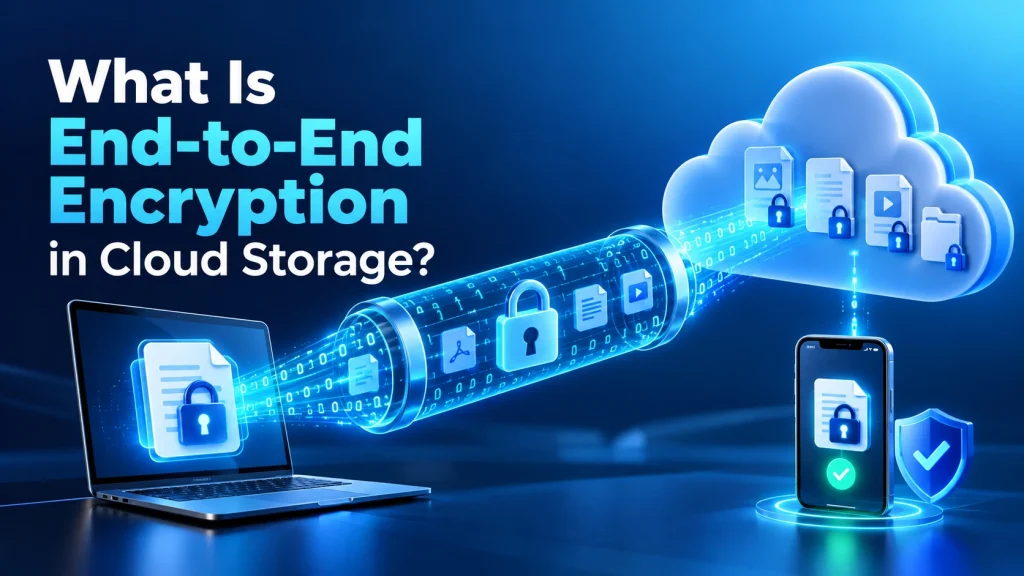
Understanding the difference between E2EE and standard encryption helps you decide where to store sensitive documents, financial records, and personal files safely.
What Is End-to-End Encryption?
End-to-end encryption means your data gets locked on your device before it goes anywhere. Only the intended recipient holds the key to unlock it. The encryption and decryption happen exclusively at both “ends” of the communication, which is where the name comes from.
Think of it like a locked safe. You place your files inside, lock the safe with a key only your recipient has, and then ship it. Even if someone intercepts the safe during delivery, they cannot open it without that specific key.
The delivery company (your cloud provider) moves the safe but never sees what is inside. This is different from standard encryption where the cloud provider encrypts your files using their own keys and can technically access those files whenever they choose to.
How Does End-to-End Encryption Work?
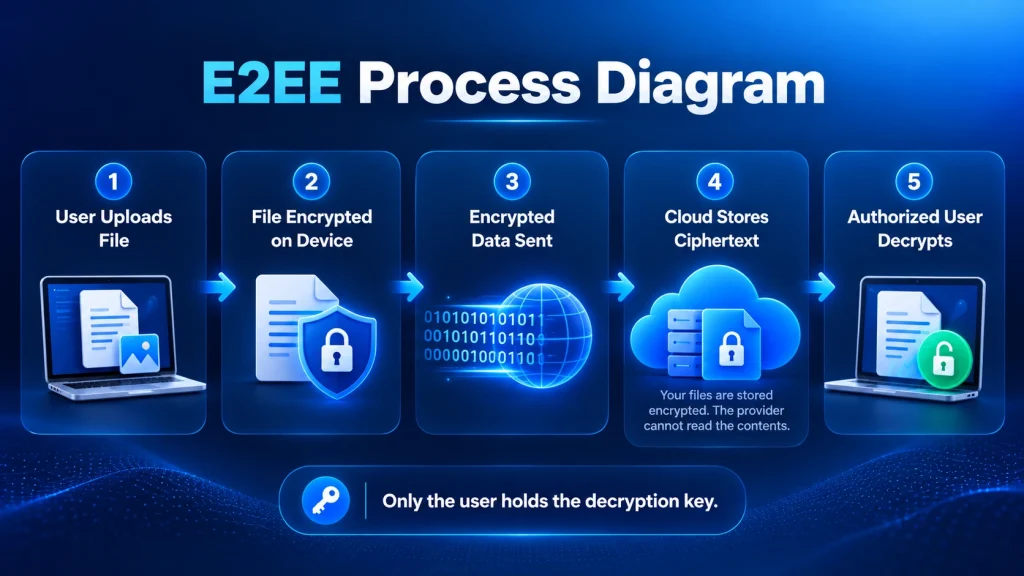
E2EE follows a three-step process that keeps your data unreadable to everyone except you and your intended recipient.
Encryption at Sender Side
Your device generates a unique cryptographic key pair. The file gets converted into scrambled, unreadable code before it leaves your phone or computer. The server only ever stores encrypted data it cannot read.
Secure Transmission
The encrypted file travels across the internet as unreadable code. Even if a hacker intercepts the data, they see nothing but random characters. At no point during transmission does the data exist in readable format.
Decryption at Receiver Side
The recipient uses their private decryption key to restore the scrambled data back to its original form. This key exists only on their device and is never shared with the cloud provider or any third party.
E2EE vs Encryption in Transit vs Encryption at Rest
Not all encryption is equal. Most cloud providers use weaker forms that still leave your data accessible to them. Here is how the three main types compare.
| Type | How It Works | Who Can Access Data | Security |
|---|---|---|---|
| End-to-End (E2EE) | Encrypted on your device, decrypted only by recipient | Only you and recipient | Highest |
| In Transit | Encrypted while moving between device and server | Cloud provider can access stored data | Moderate |
| At Rest | Encrypted while sitting on the server’s drives | Cloud provider holds decryption keys | Lower |
Most mainstream services like Google Drive, OneDrive, and TeraBox use encryption in transit and at rest but not E2EE. Your files are protected from hackers intercepting the transfer, but the cloud provider can still decrypt and read your stored files.
Services like MEGA, Tresorit, and Proton Drive offer true E2EE by default. Because these providers never hold your decryption keys, they cannot access your files even if a government agency requests them or a data breach exposes their servers.
Why End-to-End Encryption Matters for Cloud Storage
Standard cloud encryption protects your files from outside hackers, but it does not protect them from the cloud provider itself. That distinction matters more than most users realize.
Data Breach Protection
If a provider’s servers get hacked, E2EE files remain unreadable to attackers. Without E2EE, a breach exposes everything because the provider’s keys get compromised along with the data.
Privacy From the Provider
Providers without E2EE can scan your files for advertising or analytics. Google Drive scans stored files as part of its terms. E2EE removes this ability entirely because the provider cannot read what you store.
Legal Protection
Governments can subpoena cloud providers for user data. With E2EE and zero-knowledge encryption, the provider genuinely cannot hand over readable data because they never had the keys.
Compliance Requirements
Businesses handling medical records (HIPAA), financial data, or European user data (GDPR) need encrypted cloud storage that prevents even the provider from accessing files. E2EE satisfies these requirements.
Which Cloud Services Use End-to-End Encryption?
Most popular cloud storage services do not offer true end-to-end encryption by default. Here is how the major providers compare.
| Service | Free Storage | E2EE Default | Zero-Knowledge | Best For |
|---|---|---|---|---|
| MEGA | 20 GB | Yes | Yes | Privacy-focused free storage |
| Proton Drive | 1 GB | Yes | Yes | Maximum privacy (Swiss law) |
| Tresorit | None | Yes | Yes | Business and enterprise |
| Sync.com | 5 GB | Yes | Yes | Secure file sharing |
| pCloud | 10 GB | Paid add-on | With Crypto | Lifetime plan buyers |
| Google Drive | 15 GB | No | No | Google Workspace users |
| Dropbox | 2 GB | No | No | Team collaboration |
| OneDrive | 5 GB | No | No | Windows and Office users |
| TeraBox | 1 TB | No | No | Maximum free storage |
The pattern is clear: providers offering the most free storage tend to offer the least encryption. Providers that prioritize privacy offer less free space. This is because cloud storage with end-to-end encryption costs more to operate since the provider cannot deduplicate or compress encrypted files the same way.
See how TeraBox compares in our detailed breakdowns: TeraBox vs Google Drive, TeraBox vs Dropbox, TeraBox vs MEGA, and TeraBox vs OneDrive.
Does TeraBox Use End-to-End Encryption?
No. TeraBox does not offer end-to-end encryption. It uses SSL/TLS encryption in transit and standard encryption at rest on its servers. Your files are protected from outside hackers, but the provider itself can technically access them.
Because TeraBox is operated by Flextech Inc., a subsidiary of Baidu, this lack of E2EE is the primary concern raised by privacy-conscious users. Without E2EE, the company has the ability to access files stored on its servers.
However, TeraBox offers 1TB of free storage, which is 66 times more than Google Drive. For non-sensitive files like media backups and general documents, that trade-off is acceptable. For sensitive data, a service with built-in E2EE like Proton Drive or MEGA is the safer choice. Read our full guide on whether TeraBox is safe to use for the complete security breakdown.
How to Add E2EE to Any Cloud Service
You do not have to switch providers to get end-to-end encryption. Third-party tools can add E2EE on top of any cloud service including TeraBox, Google Drive, and Dropbox.
Using Third-Party Encryption Tools
Cryptomator is a free, open-source tool that creates an encrypted vault on your device. You place files inside this vault, Cryptomator encrypts them locally, and then the encrypted files sync to your cloud storage. Your cloud provider only ever sees encrypted data.
Veracrypt works similarly but creates larger encrypted containers. It is better suited for encrypting entire folders or drives. Both tools work with any cloud service because they encrypt at the operating system level, not at the provider level.
Choosing a Provider With Built-In E2EE
If you prefer not to use third-party tools, the simplest approach is to choose a provider with E2EE built in from the start. MEGA offers 20 GB of free E2EE storage, which handles sensitive documents while you keep TeraBox or Google Drive for larger, non-sensitive files.
This split approach gives you the best of both options: massive free storage for everyday files and genuine encryption for anything confidential. For a full breakdown of the TeraBox Mod APK and its cloud storage features, visit our homepage.
Frequently Asked Questions
What is the difference between E2EE and regular encryption?
Regular encryption protects your files during transfer and while stored on servers, but the cloud provider holds the decryption keys and can access your data. E2EE encrypts files on your device before upload, and only you hold the key. The provider never has access at any point.
Does WhatsApp use end-to-end encryption?
Yes, WhatsApp uses the Signal Protocol for end-to-end encryption on all messages, calls, photos, and videos by default. Only the sender and recipient can read the content. Not even WhatsApp itself can access it.
Is iCloud end-to-end encrypted?
Apple offers Advanced Data Protection for iCloud, which enables E2EE for most data categories including photos, notes, and backups. However, this feature is not turned on by default. You need to enable it manually in your iPhone settings under Apple ID, then iCloud, then Advanced Data Protection.
Can end-to-end encryption be hacked?
The encryption itself is virtually impossible to break with current computing technology. However, attackers can target the devices at either “end” through malware, phishing, or social engineering. The encryption is only as strong as the security of the devices using it.
Does TeraBox have end-to-end encryption?
No, TeraBox uses SSL/TLS encryption for data in transit and standard encryption at rest. It does not offer true E2EE. If you need E2EE for specific files on TeraBox, use a third-party tool like Cryptomator to encrypt files before uploading them.
What is zero-knowledge encryption?
Zero-knowledge encryption means the cloud provider has no knowledge of your password or encryption keys. They cannot access, read, or recover your files under any circumstances. Services like Proton Drive, MEGA, and Tresorit use this model for the highest level of cloud storage privacy.
Final Thoughts
End-to-end encryption is the strongest form of data protection for cloud storage because it removes the provider from the trust equation entirely. Your files stay encrypted from the moment they leave your device until they reach their destination, and nobody in between holds the keys.
Most popular services including Google Drive, Dropbox, OneDrive, and TeraBox do not offer E2EE by default. For everyday storage and casual file sharing, that level of security is sufficient. For sensitive documents or anything you would not want a third party to access, either choose a provider with built-in E2EE like MEGA or Proton Drive, or add your own encryption using Cryptomator before uploading to any cloud service.